
Import text files and Word documents to quickly prepare subtitle content from existing scripts and manuscripts.
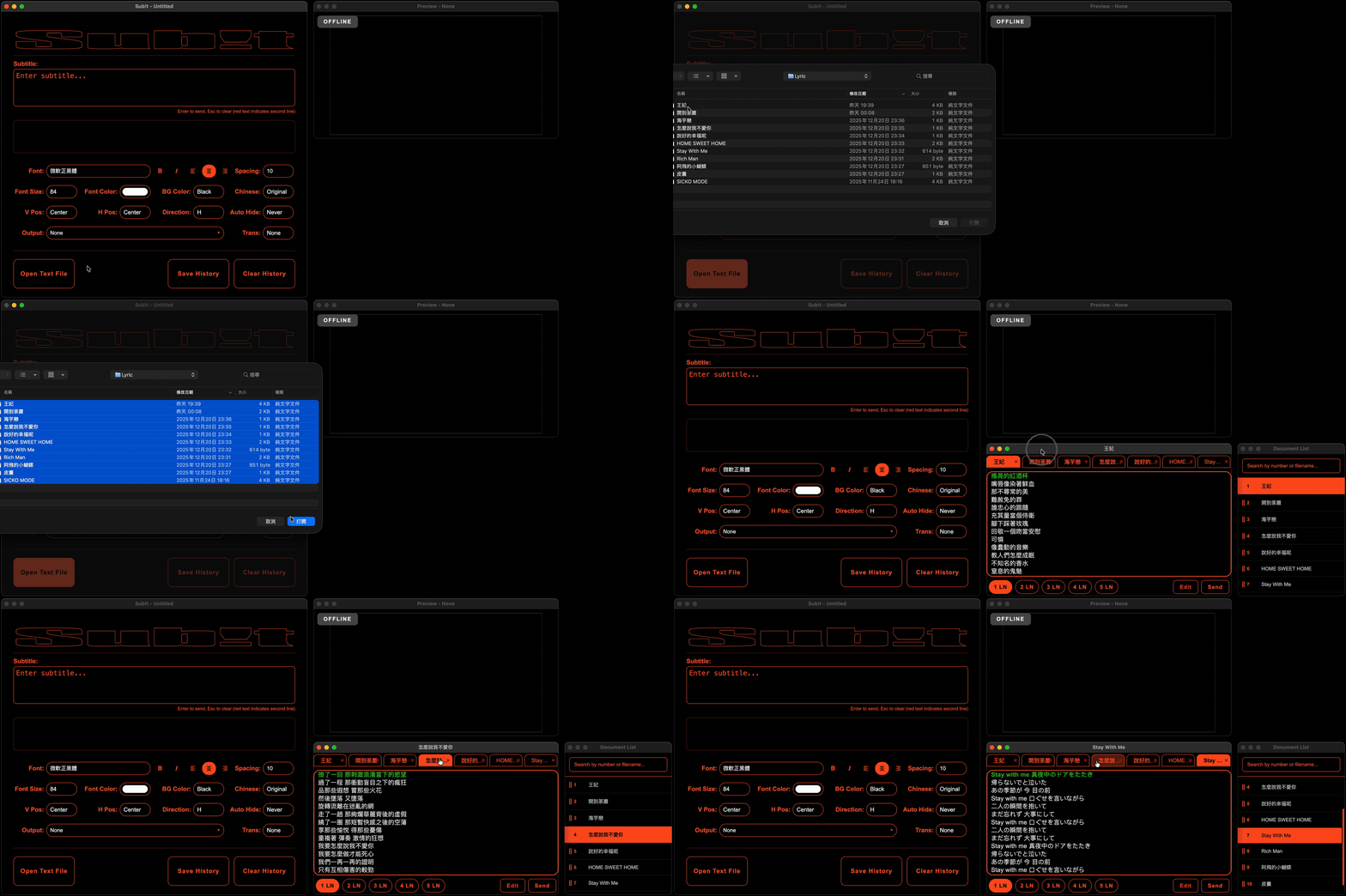
Sub!t supports importing plain text files (.txt, .md) and Microsoft Word documents (.docx). Word files are automatically converted to plain text, preserving only the text content while stripping all formatting. This allows rapid preparation of subtitle scripts from existing speeches, lyrics, or scripts—no retyping required.
Quickly convert scripts or libretto into line-by-line subtitles, ready for live cueing during performances.
Transform speech manuscripts or presentation notes into subtitles, helping audiences follow along easily.
Import lecture notes or textbook excerpts for classroom projection subtitles, enhancing the learning experience.
In edit mode, a text style toolbar appears at the bottom of Document Window (and above the subtitle list in SRT Window), allowing you to apply color, highlighter, bold, and italic formatting to selected text.
<font color>, <b>, <i> tags; background color uses custom <bg color> tag — all styles preserved when saving